Best AI-Powered Budgeting Apps
We earn a commission from the offers on this page, which influences which offers are displayed and how and where the offers appear. Learn more here.
By Rob Berger, JD | Last Updated October 28, 2026
Many budgeting apps now say they use AI. For years that meant one thing. The app guessed your categories in the background, and you fixed the ones it got wrong.
That’s changed. The best budgeting apps now let you ask questions about your money in plain English. And the newest ones go a step further. They act on what they find.
Here are the five budgeting apps I think use AI in a genuinely useful way, and what each one’s AI actually does.
The short version:
- Monarch Money: the best all-around budgeting app, with an AI assistant you can ask about your spending.
- Rocket Money: Rowan, an AI agent that texts you about problems and fixes them when you say so.
- Origin: an AI budget builder that sets up a budget from your transactions in about a minute.
- Quicken Simplifi: Quicken AI, a chat assistant built into a simple, lower-cost budgeting app.
- Copilot Money: the Money Assistant, new in October 2026, which edits your budget for you right from the chat.
Monarch Money
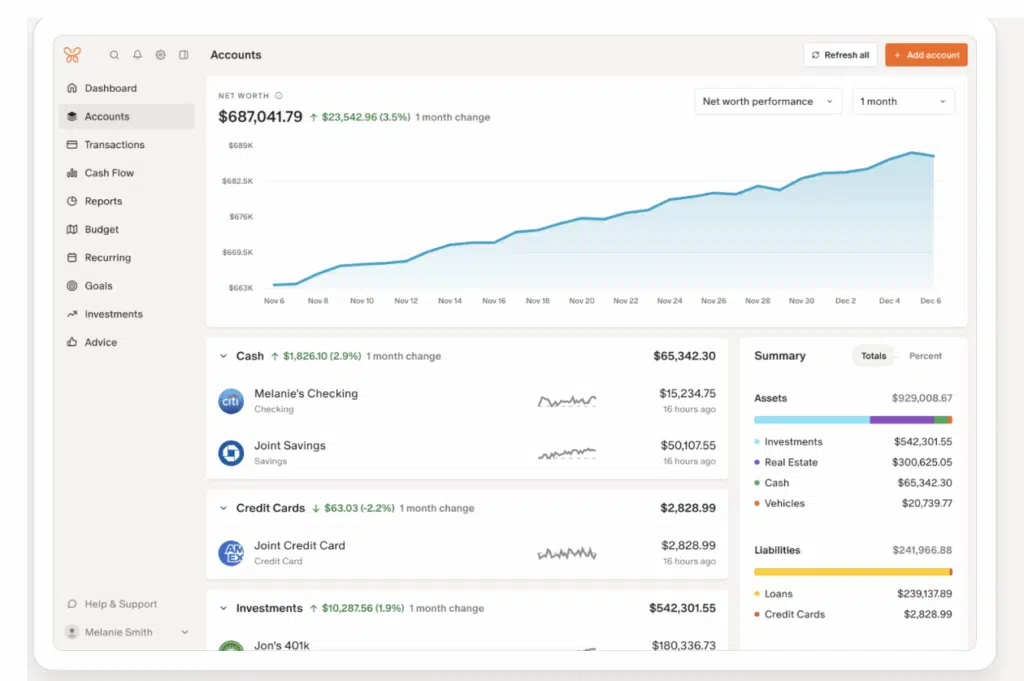
My wife and I use Monarch Money to manage our finances. It’s the budgeting app I recommend to most people, and its AI features are a big part of the reason:
- AI Assist: Ask questions about your finances in plain English. What was my biggest expense last month? How much did we spend on groceries? How has our net worth changed this year? The one I ask most is “where am I spending more this month than last month?”
- Amazon categorization: Most budgeting apps file every Amazon order under “shopping.” Monarch connects to your Amazon account, reads what you actually bought, and uses AI to put each item in the right category.
- Receipt scanning: Snap a photo of a receipt in the Monarch app. AI reads it, categorizes what you bought, and matches it to the right transaction.
- Weekly recap: A summary of your week written by AI, covering changes in your net worth, spending by category and recurring charges.
Cost: 7-day free trial, then $8.33/month billed annually. First year $4.17/month billed annually (50% off) with promo code ROB50.
You can read my full Monarch Money review.
Rocket Money
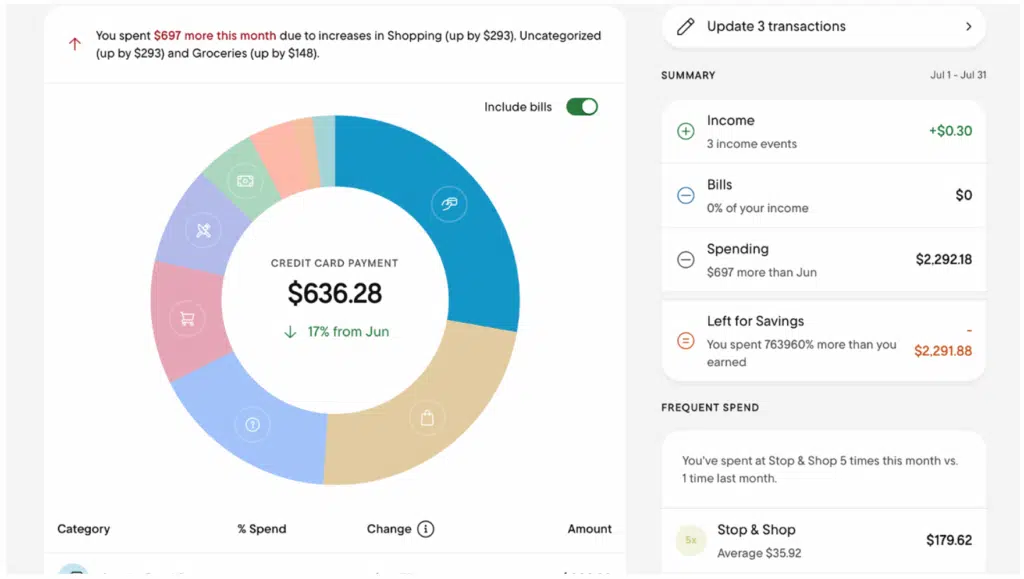
Rocket Money is best known for finding subscriptions you forgot about and cancelling them. In August 2026 it launched Rowan. I’ve been using it, and I think it’s the most interesting AI any budgeting app has shipped so far.
Here’s why. Most budgeting AI answers questions. Rowan takes action, and not just inside the app. It watches your accounts, texts you when it finds something, and handles it when you tell it to. According to Rocket Money, Rowan can:
- Catch price increases: It flags when a subscription or bill quietly goes up.
- Spot unexpected fees: It watches for charges you didn’t plan on and goes after a refund.
- Cancel subscriptions: Forget about a free trial, and Rowan texts to ask whether you want to cancel before the first charge. Reply “cancel” and it takes care of it.
- Lower your bills: It can negotiate recurring bills for you.
- Run your budget by text: Build budgets, create categories, recategorize transactions and get budget alerts, all in the same text thread.
Rocket Money says anything that touches your money waits for your OK first. And there’s no new dashboard to check, which I think is the smartest decision they made. A feature like this only works if you don’t have to remember to use it.
Cost: There’s a free version. Premium is pay-what-you-think-is-fair, $7 to $14 a month. Rowan comes with Premium+, which is $15 a month and also drops the fee Rocket Money normally takes when it lowers a bill.
You can read my full Rocket Money review.
Origin
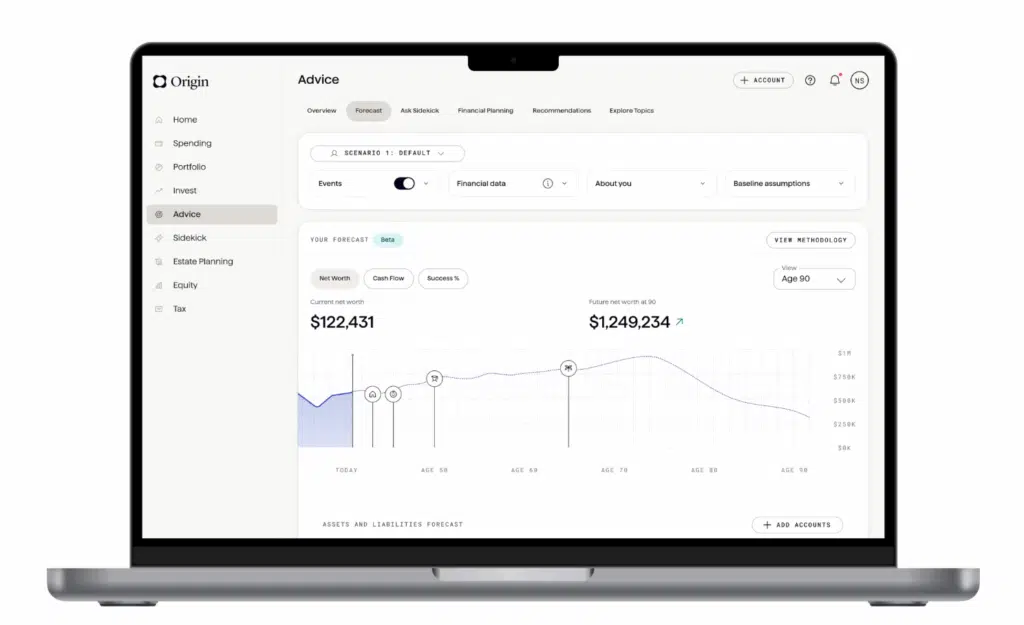
Origin is a newer app built to handle your whole financial life. Along with budgeting, you can invest, file your taxes and even get help with a will and trust. For budgeting, three AI features stand out:
- AI Budget Builder: Origin’s AI reads your transaction history and builds a budget for you, with a monthly total split across suggested categories. You can change any of it or ignore it. I set up a solid budget in about a minute.
- AI Advisor: Ask questions about your own financial data. I asked which credit card had the highest balance. It got it right and added the card’s credit limit and interest rate.
- Forecasting: Project your net worth and cash flow, then ask the AI about the results. It’s easy to run what-ifs, like cutting your spending by 5%, and compare them side by side.
Cost: $8.25/month billed annually ($99 a year). For a limited time, you can get your first year for $1.
You can read my full Origin review.
Quicken Simplifi

Quicken Simplifi used AI quietly for a long time, mostly to categorize transactions. In the summer of 2026 Quicken added an AI chat to the app. It launched as Quicken Assist and is now called Quicken AI. It works from your Simplifi data, plus live web search.
According to Quicken, it can:
- Explain your month: what changed in your spending and what it means for what’s ahead.
- Review your subscriptions and recurring charges.
- Build a debt payoff plan.
- Run what-if scenarios for a big purchase or a life change.
Give Quicken credit for being clear about the limits. It’s still in beta. It doesn’t give tax, legal or investment advice. It can’t move money or do anything outside Simplifi. And it doesn’t remember past conversations yet. It’s included with a Simplifi subscription, not sold as an add-on.
Cost: 7-day free trial, then $6.99/month billed annually. First year $3.49/month billed annually (50% off).
You can read my full Simplifi review.
Copilot Money
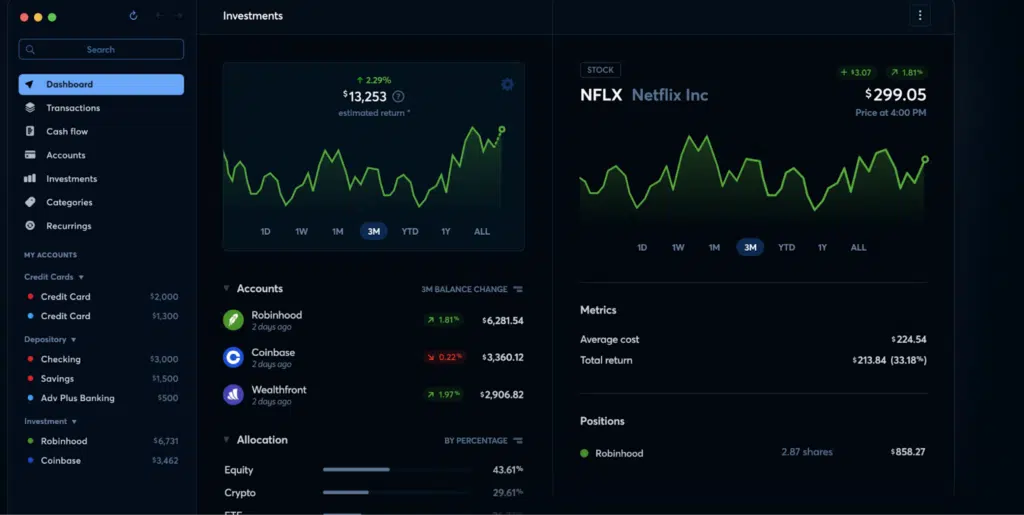
Copilot Money is a budgeting app known for its clean design. It runs on iPhone, iPad, Mac and the web. In October 2026 it launched the Money Assistant, an AI agent built into the app.
What makes it different is that it works inside your budget, not just next to it. According to Copilot, the Money Assistant can:
- Make changes from the chat: Edit categories, budgets, tags, transactions and recurring charges just by asking.
- Brief you every morning: A daily rundown of category fixes, matched refunds and flagged charges, each ready to approve or dismiss with a tap.
- Suggest fixes on its own: When your spending changes, it suggests updates to keep your budget and categories accurate.
- Follow your rules: Set standing instructions for how to tag, flag or review certain purchases.
- Set you up fast: New users get suggested categories and budgets based on their income and spending from day one.
- Talk your way: Pick a personality, from encouraging to analytical. There’s even a “roast mode” if you want brutally honest feedback on where your money goes.
Two things to know. First, the Money Assistant is iPhone only for now. Copilot says iPad, Mac and web are coming later. Second, Copilot says your data isn’t used to train third-party AI models.
Cost: $9.92/month billed annually ($119 a year), or $18 billed monthly. The Money Assistant is included. New users get 2 months free on the yearly plan with code BERGER.
Should You Let AI Into Your Budget?
Most budgeting apps connect to your accounts through Plaid. In most cases that link is read-only. The app can see your transactions and balances. It can’t move your money.
What’s new is AI that acts. Copilot’s Money Assistant edits your categories and budgets inside the app. Rowan goes further. It cancels subscriptions and negotiates bills out in the world, using your name and your accounts. Both say they wait for your approval. Still, that’s more authority than a budgeting app has ever asked for, so it’s worth a slower read of the setup screens.
Before you turn on any AI feature, here’s what I’d want to know:
- Does the company train AI on your data? Read the policy, and look for a setting to turn it off. Copilot, for example, says it doesn’t use your data to train third-party AI models.
- What can it do without asking? For an agent like Rowan, find out what needs your OK and where you can see what it has already done.
- Can you delete your data? Look for a clear way to disconnect accounts and wipe your data, not just delete the app and hope.
- Is your login secure? Turn on two-factor authentication and use a unique password. The weakest link is usually the login, not the AI.
Frequently Asked Questions
What’s the best AI budgeting app?
For most people, Monarch Money. It’s a strong budgeting app with AI features people actually use, like asking questions about your spending and sorting your Amazon orders. If you want AI that does the work for you, look at Rocket Money’s Rowan. And if you’re on iPhone, Copilot’s new Money Assistant is worth a look for keeping your budget tidy without much effort.
Which budgeting apps use AI?
Nearly all of them use AI to categorize transactions behind the scenes. Fewer let you talk to it. Monarch, Origin and Simplifi let you chat with an AI about your money. Rocket Money and Copilot go further, with AI that makes changes for you.
What is Copilot Money’s Money Assistant?
It’s an AI agent Copilot Money launched in October 2026. You can chat with it about your finances, and it can make changes for you, like recategorizing a transaction, editing a budget or matching a refund. It also sends a daily briefing of suggested fixes to approve or dismiss. It’s iPhone only for now, and it’s included with a Copilot subscription.
What is Rocket Money’s Rowan?
Rowan is an AI agent Rocket Money launched in August 2026. It works by text message. It watches your accounts and texts you when it finds something, like a price increase, a new fee or a free trial about to turn into a paid plan. Tell it what to do, and it handles it. Rowan comes with Rocket Money’s Premium+ plan, which is $15 a month.
Is it safe to connect your bank account to an AI budgeting app?
Generally, yes. Most apps connect through Plaid with a read-only link, so the app can see your transactions but can’t move your money. The bigger questions are how the company uses your data, what an AI agent can do without asking you, and whether your own login is protected with two-factor authentication.
Will AI replace budgeting apps?
Not soon. AI is making good budgeting apps better at categorizing, answering questions and catching problems. But the core job, connecting your accounts securely and tracking your money over time, still takes an app built for it. For now, AI is a feature inside your budgeting app, not a replacement for it.
I’ll update this page as budgeting apps add new AI features worth knowing about.
