EveryDollar Alternatives: 5 Better Tools for Budgeting, Tracking Net Worth & Building Wealth
We earn a commission from the offers on this page, which influences which offers are displayed and how and where the offers appear. Learn more here.
By Rob Berger, JD | Last Updated August 3, 2026
EveryDollar is a budgeting app created for those following Dave Ramsey’s baby steps or anyone drawn to zero-based budgeting. It’s a simple tool, but that’s the catch: it only focuses on budgeting.
EveryDollar falls short when it comes to tracking, well, every dollar of your investments, detailed monitoring of your net worth, or managing subscriptions. It also doesn’t automatically categorize purchases or track your credit score. You won’t find any of those features even with the premium version. At $17.99/month or $79.99 per year, it’s not the most expensive budgeting tool, but what you get for that cost is limited.
There are better options out there. Below are my top EveryDollar alternatives that not only budget, but help you build wealth.
Top 5 EveryDollar Alternatives
1. Monarch Money: The Best All-in-One Alternative
If you’re serious about money management, Monarch Money is a clear upgrade from EveryDollar. Built by former Mint developers, Monarch keeps the ease of use but adds a broader set of features.
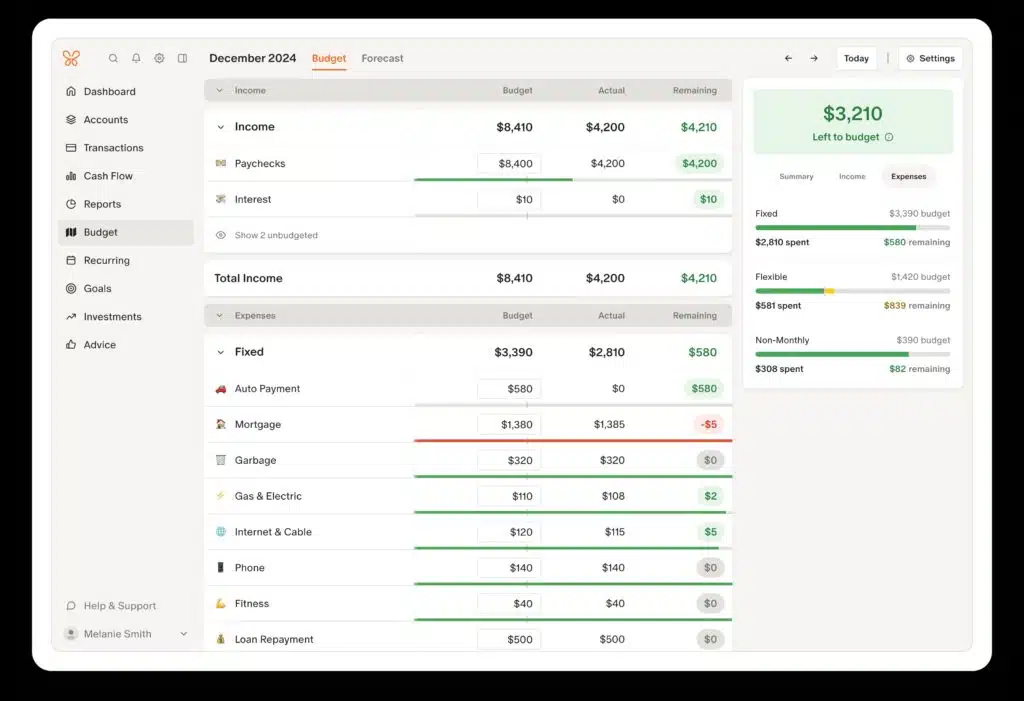
On top of being an excellent budgeting tool, it also tracks investments and monitors net worth. For families, Monarch Money offers shared access for partners. Couples can have their own login but stay on the same page for goal tracking and cash flow planning.
Monarch’s interface is sleek and customizable, allowing users to choose what information to display on the dashboard.
Cost:$14.99/month or $99.99/year.
Right now, get 50% OFF the Core Plan your first year with code: ROB50.
Verdict: Monarch Money is what EveryDollar wants to be when it grows up. For a few dollars more per year, you get a full personal finance command center.
2. Simplifi by Quicken: Best for Visual Budgeting and Spending Plans
Simplifi beats EveryDollar in automatically synching transactions. This feature is only available with EveryDollar’s Premium plan. Simplifi also gives users a high-level overview of their spending, savings, and cash flow.

For example, the Spending Plan shows how much you’ve spent, what’s already committed (bills, subscriptions), and what’s left to spend. This feature makes it easier to stay on track throughout the month.
Other Simplifi features include goal tracking, recurring bill detection, and a calendar view of upcoming transactions, all presented in a modern, intuitive dashboard.
Cost: $3.49/month for the first year, then $6.99/month (all billed annually)
Verdict: Simplifi is a great option if you want to ditch manual entry and spreadsheets but still keep a firm grip on your spending. Think of it as EveryDollar’s more polished and intuitive cousin—with far more automation built in.
3. Rocket Money: Best for Tracking Subscriptions & Lowering Bills
If you’re tired of forgotten subscriptions draining your checking account, Rocket Money is the tool to plug the leak. While it offers basic budgeting, Rocket Money shines when it comes to identifying and managing recurring expenses.
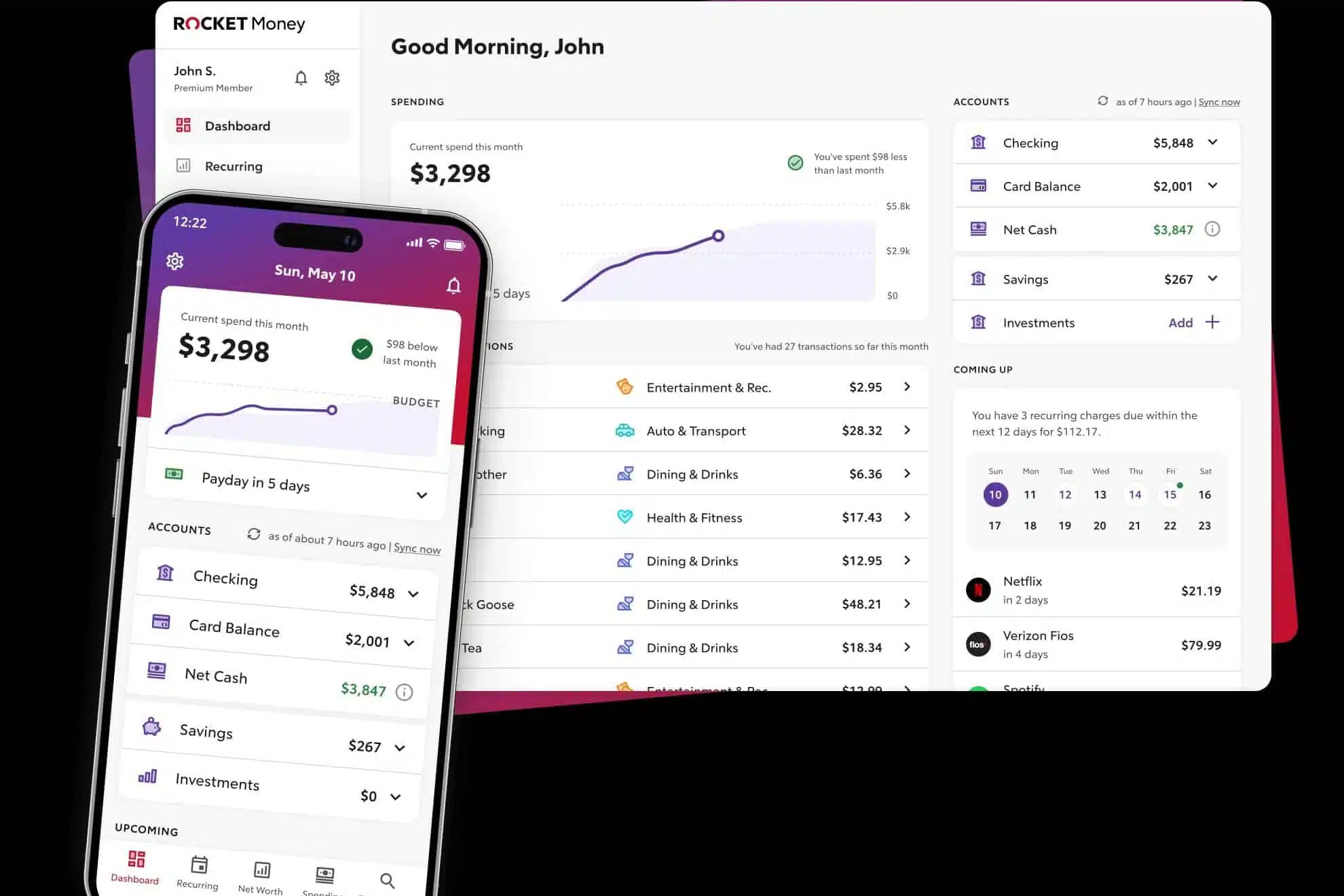
Premium users can even have Rocket Money cancel subscriptions for them. You can also get alerts if subscription costs increase, if a new recurring charge appears, or if you are double-billed for a subscription.
If you need help staying on top of your finances, Rocket Money sends alerts when your balance gets low, if you’re at risk for overdrafting your account, and for upcoming bills and unusual charges.
If improving your credit score is a priority, you can track your credit score as often as you want for free. With the Premium version, you can also get monthly access to your credit report.
Cost: Free plan available; Premium: $7 – $14/month with a 7-day free trial
Verdict: Use it to clean up your financial leaks. Pair it with Monarch or Empower for a more complete solution.
4. Empower: Best for Investment & Net Worth Tracking
If you have investments, Empower is the strongest free platform available for tracking. While its budgeting tools are minimal, its net worth tracking, investment analysis, and retirement planning tools are second to none. Every single one of those features is free. You can’t beat that.
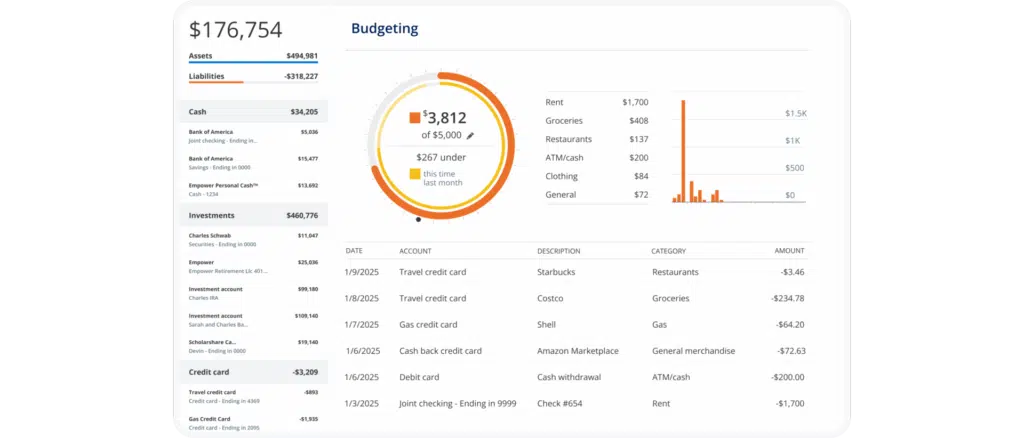
While EveryDollar focuses on tracking your budget, Empower allows you to track your wealth. You can link all of your accounts, bank, credit cards, investments, retirement, even HSAs, to get a complete picture of your financial health.
Want to do a deeper dive into your retirement accounts? With Empower’s Retirement Planner, you can find out if you’re on track to reach your goals. There’s also a feature to run “what-if” scenarios to see how life events can impact your retirement goals.
You’ll get beautiful dashboards, asset allocation tools, fee analysis, and more. And yes, all for free. There is a bit of a trade-off. You’ll likely get calls or emails from their wealth management team pitching their services.
Cost: Free
Verdict: EveryDollar doesn’t offer investment tracking at all. Empower gives you that and more for free.
5. Origin: Best for Comprehensive Financial Planning
If you’re looking to move beyond day-to-day budgeting in favor of long-term wealth strategy, Origin should be on your radar.
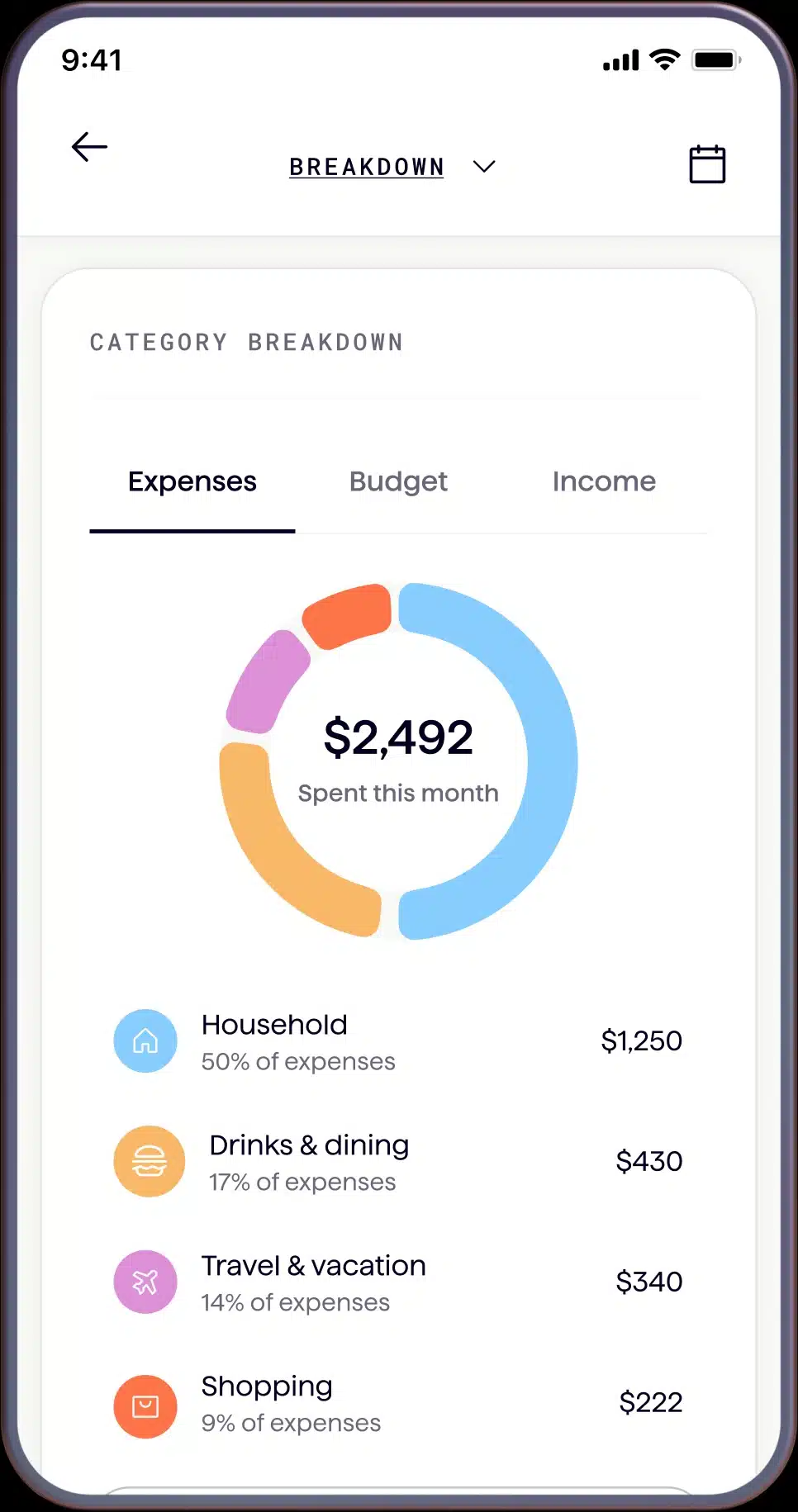
Unlike budgeting apps that stop at categorizing expenses, Origin combines a sleek, intuitive dashboard with financial planning tools. Users can even get access to real human advisors. The one-on-one sessions with financial professionals does cost extra, but it’s a reasonable rate of $99 for a 30-minute session or $149 for 60 minutes.
Whether you’re managing your investments, estate planning, tracking your net worth, or optimizing taxes, Origin has the tools and guidance to help you do it all. Instead of seeing where your money went last month with a basic budgeting tool, Origin helps you create a plan for where it’s going over the next 10, 20, or 30 years.
Cost: $12.99/month or $99/year. Includes a 7-day free trial. The annual plan also includes a 30% discount on Financial Planning and full Estate Plan services.
Verdict: If you want to grow wealth, make smart investment decisions, and get expert guidance without hiring a traditional financial advisor, Origin delivers. It’s not for budget-only users, but for people serious about long-term financial health.
EveryDollar Alternatives Comparison
| Product | Best For | Pricing | Learn More |
|---|---|---|---|
| Monarch Money | Best All-in-One | 7-day free trial; $99/yr (50% off Core Plan w/ ROB50) | Visit Monarch |
| Quicken Simplifi | Visual Budgeting & Spending Plans | $3.49/mo first year, then $6.99/mo (billed annually) | Visit Simplifi |
| Rocket Money | Subscription Tracking & Bill Negotiation | Free; Premium 7-day trial ($7–$14/mo) | Visit Rocket Money |
| Empower | Investment & Net Worth Tracking | Free | Visit Empower |
| Origin | Comprehensive Financial Planning | 7-day free trial; $1 first year, then $99/yr | Visit Origin |
My Picks:
- Want everything in one place? Go with Monarch Money. You’ll get budgeting, investing, net worth, goals, and collaboration all in one clean dashboard. (And don’t forget the Promo Code: ROB50 (50% off the Core Plan the first year)
- Want free investment and net worth tracking? Use Empower. It’s the best no-cost way to monitor your portfolio and long-term progress.
- Need help with recurring expenses and forgotten subscriptions? Rocket Money will find them, and help you cancel them, too.
- Prefer modern, visual budgeting without the manual grind? Simplifi makes it easy to stay on track with automated insights and a dynamic spending plan.
- Ready to build wealth with a long-term plan and expert advice? Origin combines financial planning tools with real human support. It’s like having a CFP in your pocket.
EveryDollar Alternatives FAQs
What is the best free alternative to EveryDollar?
Empower is the best free alternative to EveryDollar. It offers a comprehensive financial dashboard including net worth tracking, budgeting, and investment analysis—all at no cost. It’s particularly strong if you want to see your full financial picture in one place.
Which EveryDollar alternative has the best mobile experience?
Quicken Simplifi is built mobile-first and offers the cleanest on-the-go budgeting experience of the apps on this list. If you primarily manage your finances from your phone, Simplifi is the strongest choice.
Can I migrate my EveryDollar data to a new app?
Most modern budgeting apps support importing CSV exports from your previous tool. Both Monarch Money and Quicken Simplifi let you upload your transaction history during setup, though you may need to review and re-categorize some transactions after the import.
Which EveryDollar alternative helps with debt payoff?
Monarch Money has strong goal-tracking features for debt payoff, letting you set payoff targets, track progress over time, and see how extra payments affect your payoff date. It’s the closest fit for EveryDollar users focused on getting out of debt.
What’s the best EveryDollar alternative that supports investing alongside budgeting?
Monarch Money is the best all-in-one option—it handles budgeting, investment tracking, and net worth monitoring in a single app. If your primary focus is investments rather than budgeting, Empower offers deeper investment analysis tools (including a free fee analyzer) while still covering basic expense tracking.
Final Thoughts
EveryDollar is fine if you only want to budget. But when you’re paying nearly $80 a year (or $12.99/month), you should expect more. Think features like investment tracking, big-picture dashboards, subscription management, and financial planning tools. The apps on this list can give you more bang for your every dollar than, well, EveryDollar. Whichever route you go, the goal isn’t just to track your money. It’s to grow it. Choose a tool that helps you do both.
