8 Best Family Budget Apps to Manage Household Finances
We earn a commission from the offers on this page, which influences which offers are displayed and how and where the offers appear. Learn more here.
By Rob Berger, JD | October 3, 2026
Running a household budget is a team sport. Between groceries, activities, school costs, family vacations, and the never-ending parade of streaming subscriptions, families today are juggling more financial pieces than ever. The right budgeting app can bring order to all of it — a single dashboard for household income, shared categories for kid expenses and groceries, and the ability to plan ahead for the school year, summer camp, and the holidays. Let’s dive into the eight best family budget apps for managing household finances.
Personal Finance Apps for Families
1. Monarch Money
Monarch Money offers collaborative financial planning tools purpose-built for multi-member households. These features include the following:
- Multi-Member Access: You, your spouse, and even adult kids can each have their own login with two-factor authentication.
- Household Dashboard: A single dashboard brings together every account, budget and goal in the household — plus a full household net-worth view.
- Accounts: Connect joint accounts alongside each family member’s individual accounts
- Transaction Review: Tag your spouse on specific transactions that need reviewed — great for figuring out “who bought the $87 of Legos?”
- Goals & Custom Categories: Create shared savings goals (family vacations, college, a new car) and custom categories for kid-related expenses like activities, allowances, and school costs
The app provides customizable dashboards and reports that show where your money is going to help you figure out where to cut back spending if needed.
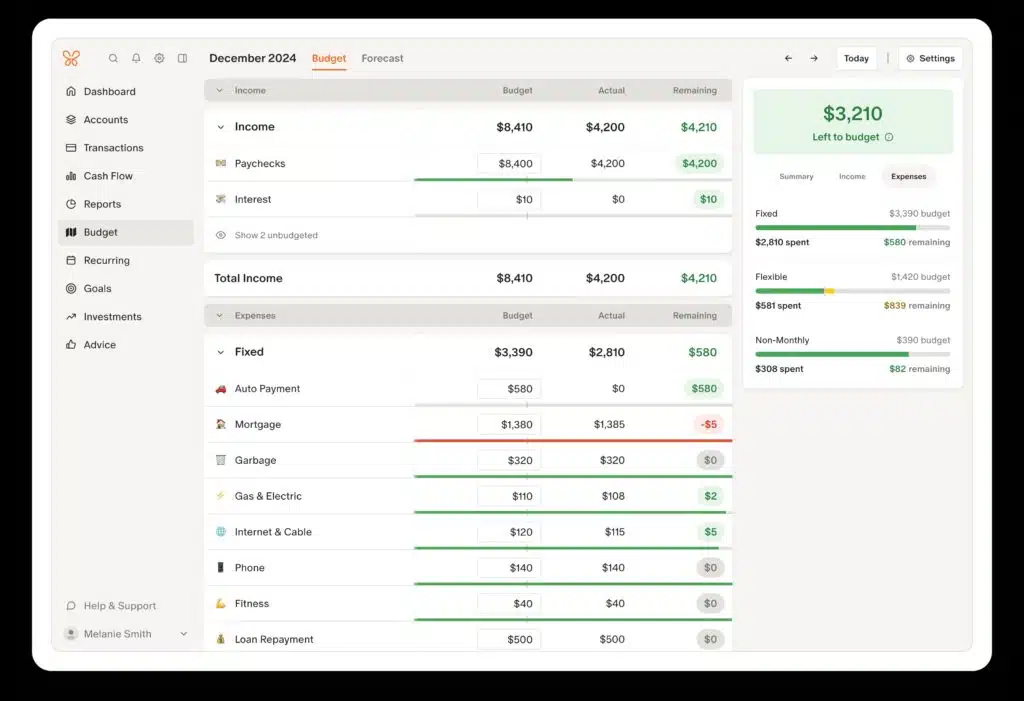
One of the stand out features of this app is it offers two ways to budget. You can choose Flex Budgeting which tracks your Fixed, Flexible, and Non-Monthly spending — often a better fit for families whose expenses swing month to month. Or you can choose Category Budgeting and assign a fixed amount to each spending category, which works well if you want tight control over variable costs like groceries and kids’ activities.
Another excellent feature is the ability to tag family members on transactions to have them review a charge or to identify who made the charge. It also supports manual and automated data entry. Monarch offers a one-week free trial.
Cost: 7-day free trial, then $8.33/month billed annually. Get the first year for $4.17/month billed annually (50% off Monarch Money’s Core Plan) with the Discount Code: ROB50.
Best for: Families who want a sophisticated tool to manage and budget household finances together in a visually appealing, customizable platform.
2. Quicken Simplifi
Quicken Simplifi is a modern budgeting and financial tracking app that emphasizes ease of use, real-time alerts, and AI technology. It’s easy enough that a non-financial spouse can actually keep up with it, which matters a lot for family adoption. Key features:
- Shared Spaces: A user can invite a spouse to join the app for no additional cost. Quicken Simplifi calls this “Spaces & Sharing.”
- Separate Logins: Each user gets their login credentials.
- Shared Dashboard: Both spouses have full access to Quicken Simplifi’s dashboard, which brings together in one place a high-level view of household money.
- Joint and Individual Accounts: Link joint household accounts alongside each spouse’s individual accounts.
- Shared Budget & Watchlists: Both spouses have full access to the shared household budget and expense tracking, plus watchlists for categories that tend to creep on families — groceries, dining out, and discretionary spending.

There’s no dedicated family mode, but the “spaces & sharing” option covers a spouse, and the Planned Spending feature is a standout for families — you can map out the cost of the school year, summer activities, or the holidays ahead of time instead of getting hit with them all at once. You can also track your investment balance and performance in the app. There’s no free plan, but Simplifi now offers a 7-day free trial, and it is one of the more affordable options.
Cost: 7-day free trial, then regularly $6.99/month, but currently available the first year for $3.49/month (50% off), billed annually. You aren’t charged until the trial ends.
Best for: Families seeking a simple, affordable, intuitive budget app that a non-financial spouse can actually keep up with.
3. Rocket Money
Rocket Money is one of the best-looking and easiest-to-use budgeting apps available, and it’s a great starting point for families because you can use it for free. My wife and I have used it on both the web and the smartphone app.
Rocket Money does the basics well. It’s easy to track your spending, set up budgets, and create rules that automatically categorize transactions. For a busy household, that means less time sorting receipts and more time seeing where the money actually goes.
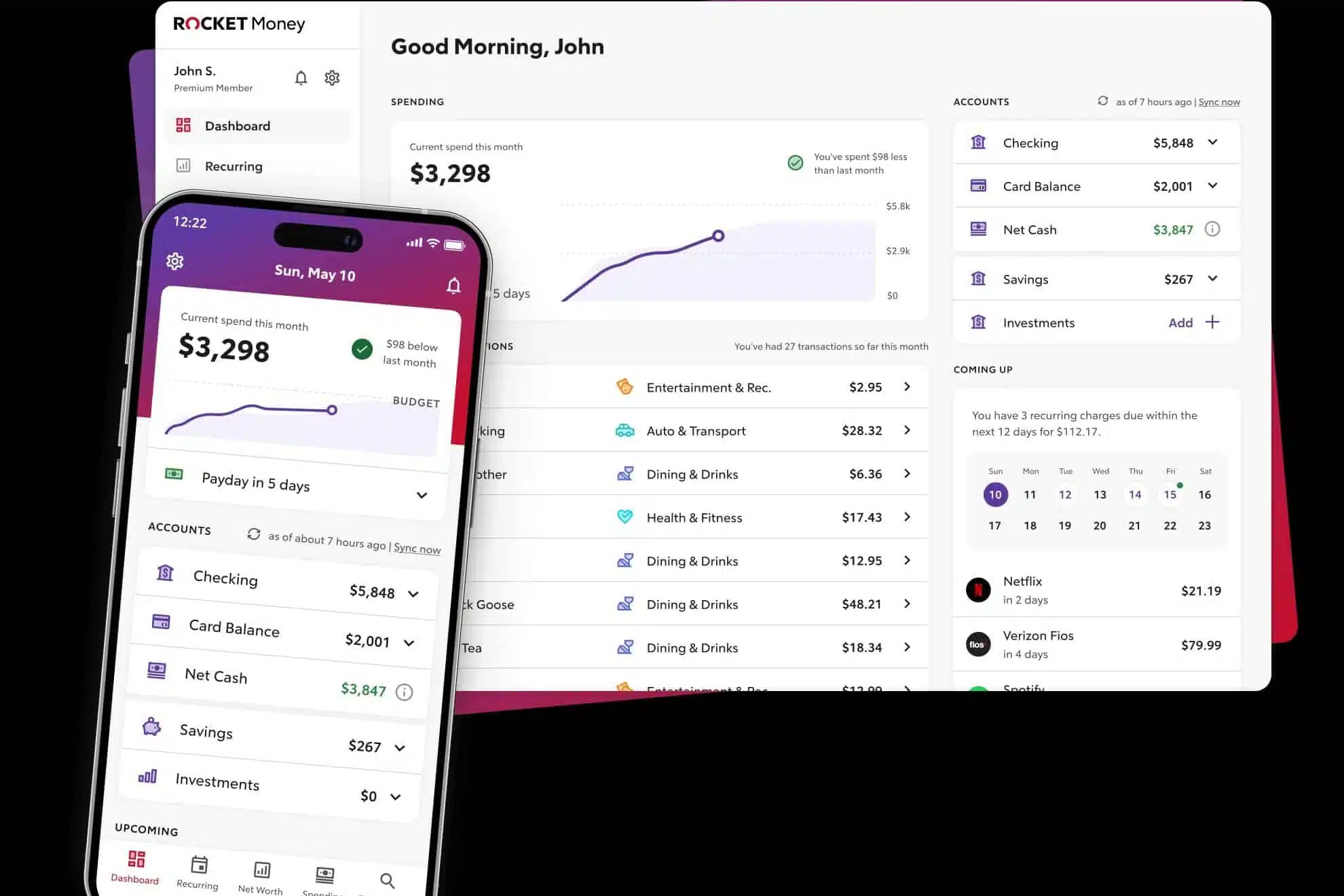
The standout feature for families is subscription tracking. Rocket Money finds the recurring charges scattered across everyone’s accounts, from streaming services to the kids’ apps, and with Premium it can cancel the ones you no longer want for you. Premium also adds net worth tracking and credit score monitoring in the same app.
Cost: Rocket Money offers a free version. The premium version is pay-what-you-want, from $7 to $14 per month when billed annually.
Best for: Families who want a free, easy way to track spending and rein in the subscriptions piling up across the household.
4. Origin
The Origin app offers several features to help families manage whole-household finances together. These include:
Limited-time intro offer: Origin is currently offering the first year of its annual subscription for just $1 — an easy way to test-drive whole-family financial planning without a real commitment.
- Separate Logins: A user can invite their spouse from within the Profile section of the app. I added my wife and it took just a few seconds.
- Separate & Joint Accounts: Accounts can be marked as separate or joint. Each spouse can toggle between views of joint accounts or their individual accounts — useful when one income supports the household and the other covers specific family expenses.
- Shared Budgets: Families can create shared budgets and track household spending together.
- Shared Financial Dashboard: Budgets, goals, net worth and other financial data is available in a single, shared dashboard.
- Account Toggle: Easily toggle between viewing all household accounts, just your accounts, or just your spouse’s accounts.
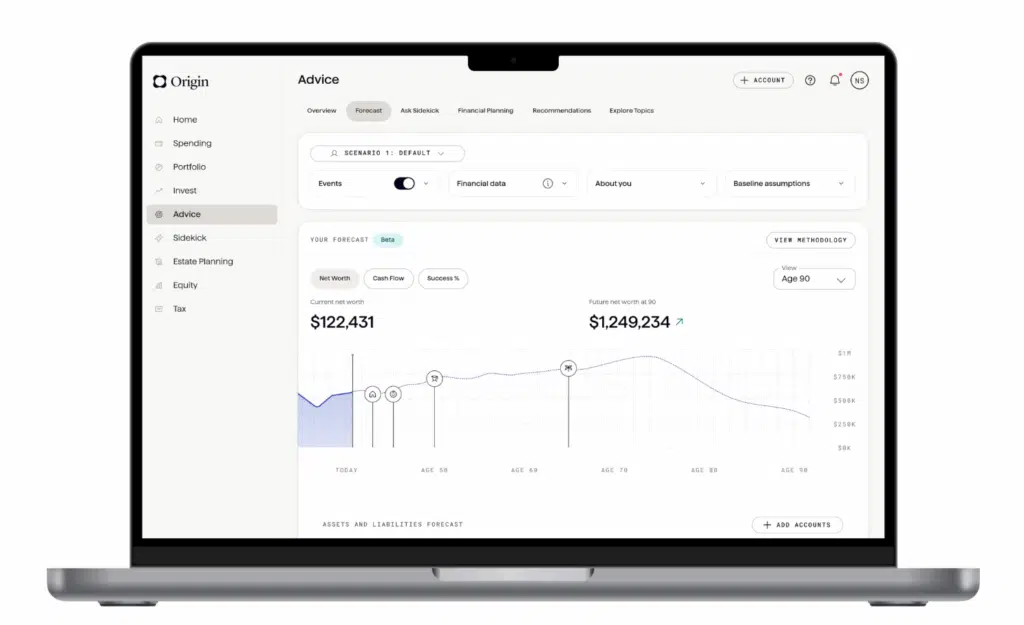
Origin is unique among all of the budgeting apps I’ve ever tried (including all of the apps on this page). For starters, it does a lot more than just budgeting — which makes it especially appealing for families juggling bigger financial decisions. For example, with Origin you can:
- Track your investments
- Invest with index funds
- Save cash with a competitive APY
- Do your taxes
- Create a will
- Create a trust
- Talk to a Certified Financial Planner
- Track shares, RSUs, ISOs, and NSOs
- Understand potential tax implications
- Simulate exercising stock options
Most of these features come with the monthly or yearly subscription fee. For example, Origin includes tax software that comes with your subscription. The estate planning tools — wills and trusts — are a particularly big deal for families. If you’ve been putting off drafting a will “someday,” having it bundled with your budgeting app removes a lot of friction. Features that require additional fees, such as creating a trust or talking with a CFP, are reasonably priced in my view.
Beyond these features, Origin has also integrated AI into its app. You can use AI to ask questions about your budget — handy when you’re trying to figure out whether the family really can afford to upgrade the minivan. It’s one of the most advanced and feature-rich money apps I’ve ever used.
Origin offers a 7-day free trial, after which the cost is either $12.99 a month or $99 a year ($8.25 a month). Right now, the first year of the annual plan is just $1 — then $99/year after that.
5. YNAB (You Need a Budget)
YNAB is a premium budgeting app based on a method to give every dollar a job, similar to envelope budgeting. That zero-based approach works exceptionally well when you’re feeding a family on a fixed budget — every dollar is assigned before the month starts, so there’s no guessing whether there’s enough for groceries and the kids’ soccer registration. YNAB syncs with bank accounts and allows real-time budget sharing across the household. And if you bring older kids into the process, it’s one of the best tools out there for teaching them real financial discipline.

YNAB offers manual and automatic transaction importing. I find it helpful to manually add transactions to YNAB as I make them, then I make sure they match the credit card transactions that automatically import. This is especially helpful in a family — when a credit card purchase comes through a week later, neither you nor your spouse can remember which kid’s activity it was for.
YNAB is not as focused on investment tracking or bill payment reminders, so you’ll need to keep track of that on your own. While there’s no free version, there is a 34-day trial.
Cost: $14.99/month or $109/year ($9.08 per month).
Best for: Families dedicated to mastering a zero-based household budget and gaining total control over spending.
6. Lunch Money
Lunch Money is a web-first budgeting app with the most family-friendly access policy on this list: shared budgets with no seat limit. Everyone in your household can have their own login to the same budget at no extra cost — no shared passwords, no per-user fees.
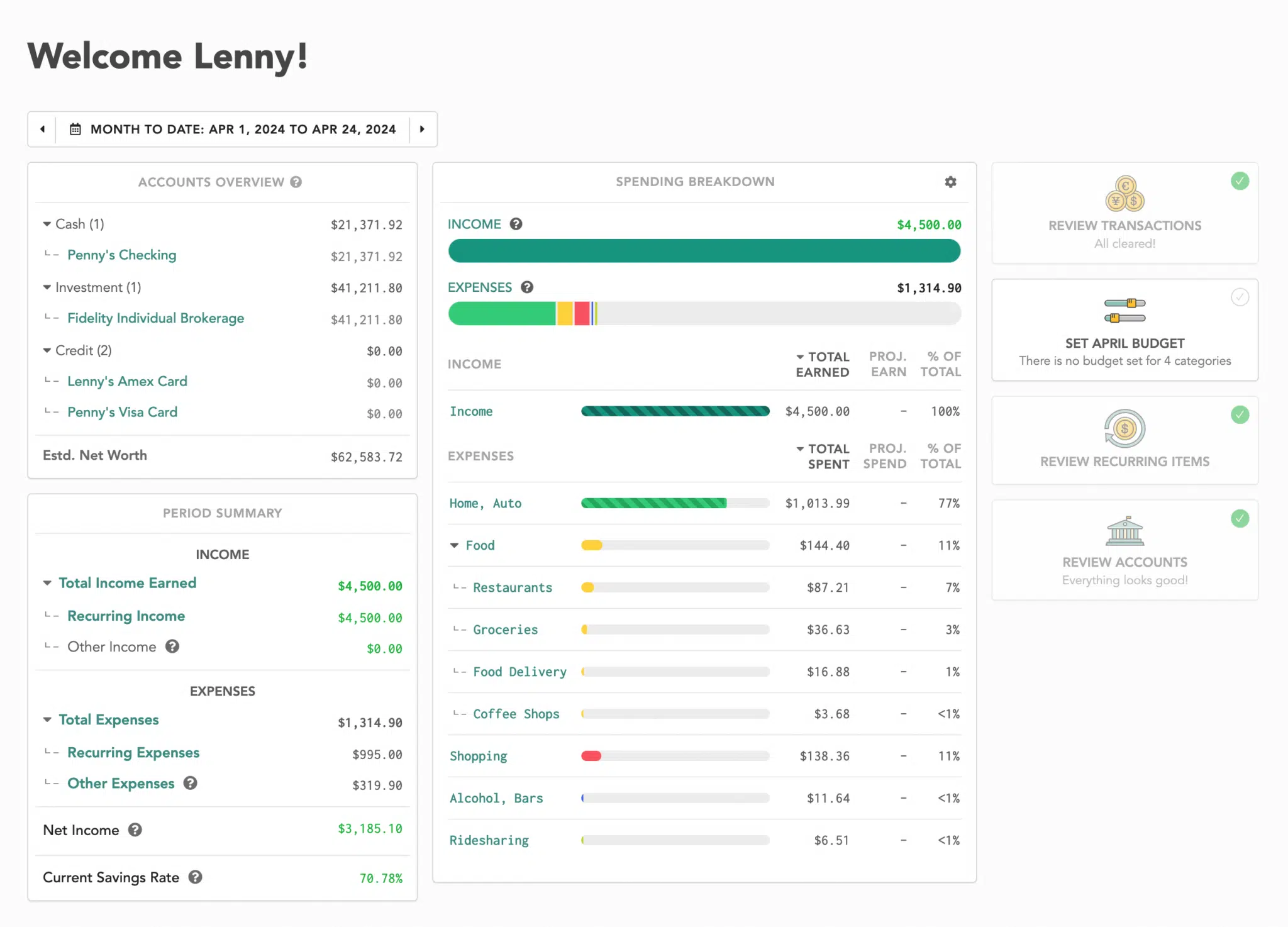
It’s built by an independent developer, and it shows in good ways: no ads, no data selling, and no financial product upsells. It also handles multiple currencies (160+) better than anything else here, which makes it the pick for families managing money across two countries.
The trade-off is that Lunch Money is web-first. The mobile apps are companions for checking in on the go, not the main event. If your family manages money primarily from phones, one of the apps above will fit better.
Cost: $10/month or $100/year. 30-day free trial.
Best for: Households that want every family member in the same budget with their own login.
7. Tiller
Tiller takes a different approach: your family budget lives in a Google Sheet (or Excel workbook) that Tiller fills with your transactions and balances automatically. That makes collaboration effortless — both spouses can be in the same spreadsheet at the same time, leave comments, and see every change.
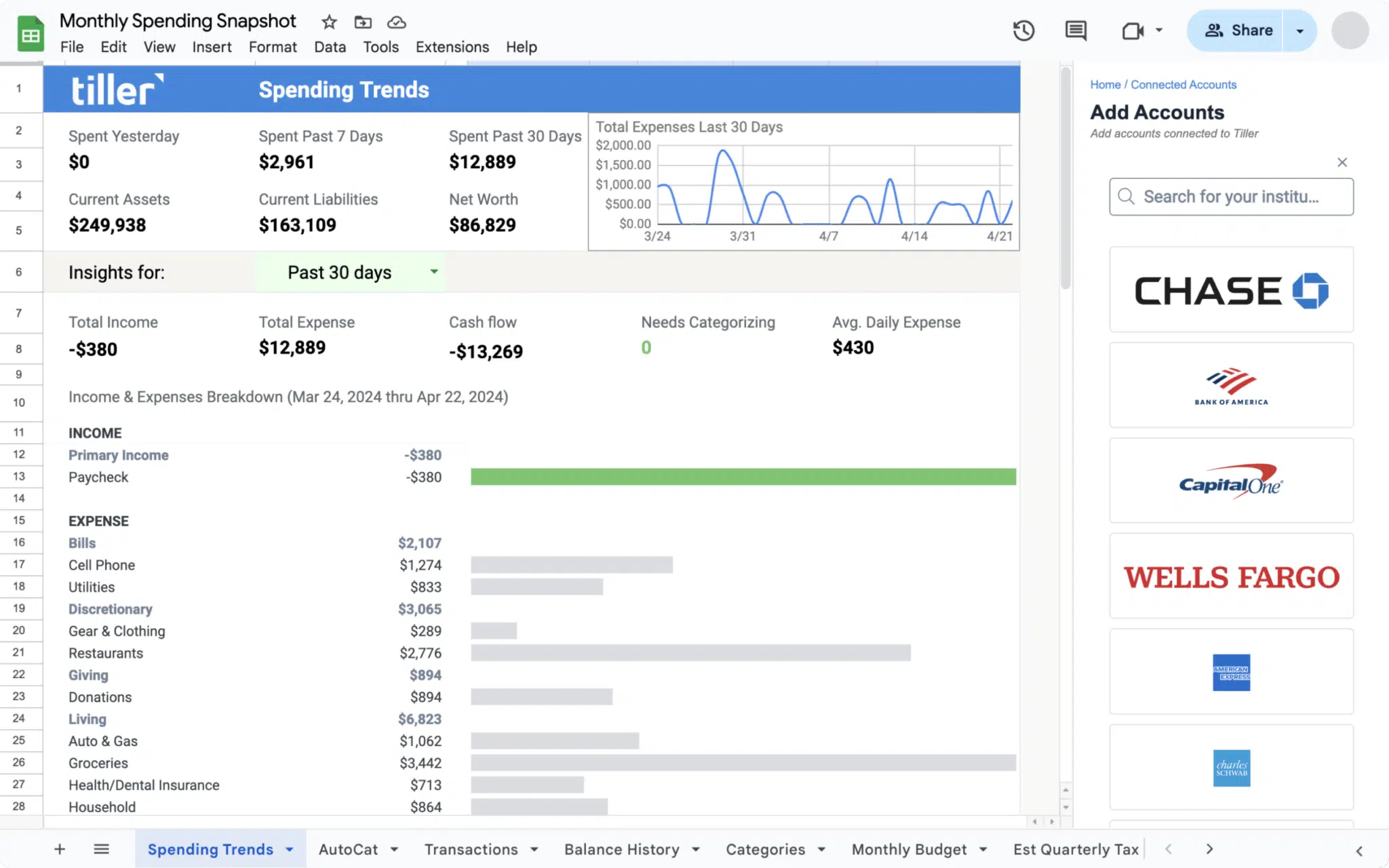
I use Tiller every single day. The daily email summary of new charges and account balances is one of my favorite features for keeping a household on the same page — and everyone in the family can get it.
There is a learning curve, and spreadsheets are not much fun on a phone. But if your family is comfortable in Google Sheets, nothing on this list is more customizable.
Cost: $99/year (Core plan) after a 30-day free trial.
Best for: Spreadsheet-comfortable families who want a fully customizable shared budget.
8. Quicken Business & Personal
If your family runs a side hustle — freelancing, an Etsy shop, a rental property — Quicken Business & Personal solves a problem none of the other apps here address: keeping business and family finances separate without running two different apps.
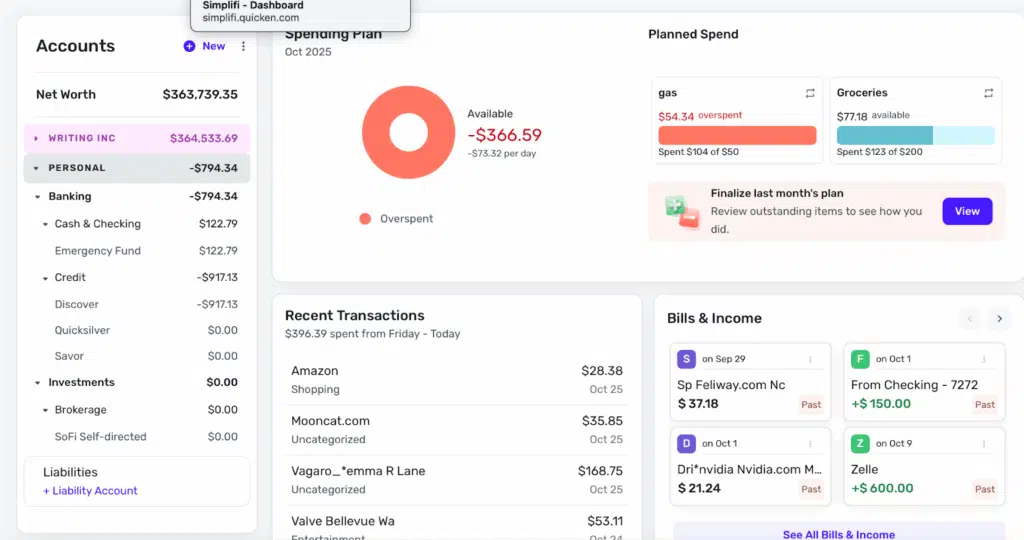
It’s built on Quicken Simplifi, so you get the same household budgeting tools, plus invoicing, mileage tracking, and a tax planner that estimates quarterly taxes. You can share access with your spouse or your accountant, and splitting a mixed transaction (say, an Amazon order with both business and family items) takes two clicks.
If your family doesn’t have self-employment income, it’s overkill — pick one of the apps above instead.
Cost: 30-day free trial, then $8.99/month billed annually, with the first year at $4.49/month.
Best for: Families managing a side hustle or self-employment income alongside the household budget.
Summary of Top Budget Apps for Families
| App | Price | Best For |
|---|---|---|
| Monarch Money | 7-day free trial, then $8.33/month billed annually. First year $4.17/month billed annually (50% off the Core Plan) with promo code ROB50 | Tech-savvy families wanting multi-member access and a collaborative household dashboard |
| Quicken Simplifi | 7-day free trial, then $6.99/month billed annually. First year $3.49/month billed annually (50% off) | Families wanting an easy, affordable app a non-financial spouse can actually use |
| Rocket Money | Free; premium $7–$14/month (billed annually) | Families who want a free app to track spending, with optional subscription cancellation on Premium |
| Origin | $1 first year (intro offer), then $99/year–or $12.99/month | Families wanting all-in-one planning, including wills & trusts |
| YNAB | $14.99/month or $109/year | Families serious about zero-based budgeting and teaching kids financial discipline |
| Lunch Money | $10/month or $100/year | Households wanting every member on one shared budget |
| Tiller | $99/year (Core) | Spreadsheet-savvy families who want full control |
| Quicken Business & Personal | $8.99/month billed annually ($4.49/month first year) | Families managing a side hustle alongside household finances |
| App | Price | Best For |
|---|---|---|
| Monarch Money | 7-day free trial, then $8.33/month billed annually. First year $4.17/month billed annually (50% off the Core Plan) with promo code ROB50 | Tech-savvy families wanting multi-member access and a collaborative household dashboard |
| Quicken Simplifi | 7-day free trial, then $6.99/month billed annually. First year $3.49/month billed annually (50% off) | Families wanting an easy, affordable app a non-financial spouse can actually use |
| Rocket Money | Free; premium $7–$14/month (billed annually) | Families who want a free app to track spending, with optional subscription cancellation on Premium |
| Origin | $1 first year (intro offer), then $99/year–or $12.99/month | Families wanting all-in-one planning, including wills & trusts |
| YNAB | $14.99/month or $109/year | Families serious about zero-based budgeting and teaching kids financial discipline |
| Lunch Money | $10/month or $100/year | Households wanting every member on one shared budget |
| Tiller | $99/year (Core) | Spreadsheet-savvy families who want full control |
| Quicken Business & Personal | $8.99/month billed annually ($4.49/month first year) | Families managing a side hustle alongside household finances |
Final Thoughts
For families trying to bring order to household finances — tracking groceries, allowances, activities, subscriptions, and savings goals all in one place — there’s an app on this list for you. If you’re committed to running a real household budget with full visibility across the family, Monarch Money is my top pick and worth the cost (especially with the 50% first-year discount using code ROB50). And if Origin’s whole-family planning tools (including wills, trusts, and CFP access) sound like a fit, the current $1 first-year promo makes it nearly risk-free to try.
